Getting started
Preparing a first conversation with an employee
Using Wundo for the first time for a conversation with someone? Then Wundo doesn’t have any history with that person yet. So instead of setting up the preparation automatically, Wundo first asks you for some context.
Last updated on 12 October 2026
Silent video, about 20 seconds. Before a first 1:1 with Sam, Wundo asks for context in the chat. The manager pastes notes from a previous 1:1 into the chat. Wundo suggests an agenda, and the manager clicks Save preparation. The agenda is now on the Preparation tab, and the manager adds one more point: Year-end leave planning.
-
Open the conversation
Open the conversation with the employee from Agenda. You land on the Preparation tab, which says there’s no agenda for this conversation yet. Wundo not added to this conversation yet? Add Wundo first.
-
Give Wundo some context
The chat with Wundo opens on the right. Because this is the first conversation, Wundo asks for context. Choose whatever is quickest for you:
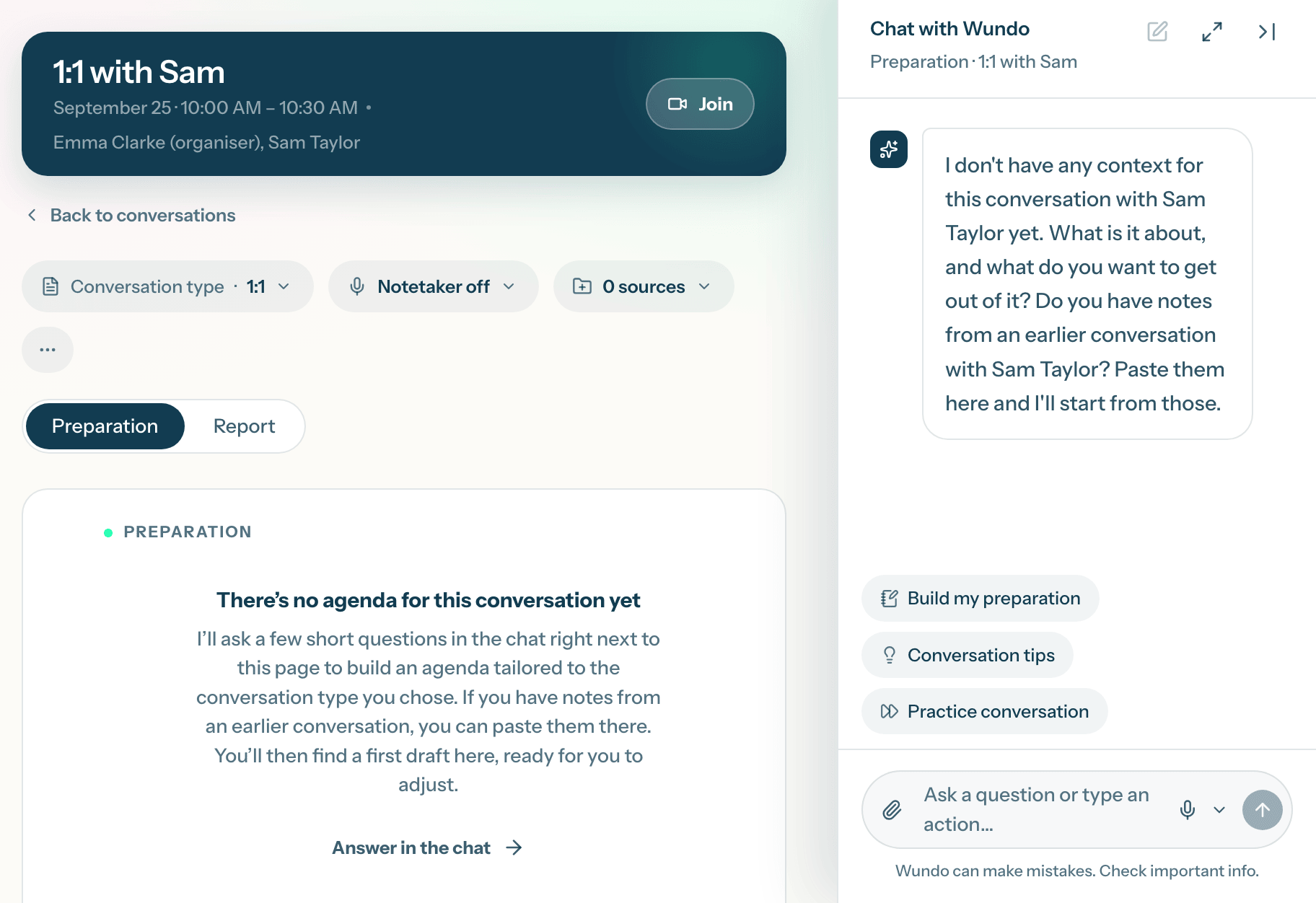
-
Add the agenda
If the conversation doesn’t have a conversation type yet, Wundo first asks which one to use. Then Wundo suggests an agenda in the chat. Does it look right? Click the button to add it to your preparation. Want to change something first? Just say so in the chat.
-
Refine the agenda
The agenda is now on the Preparation tab. It’s a starting point: adjust it or add to it where needed, and use it as a guide during the conversation.
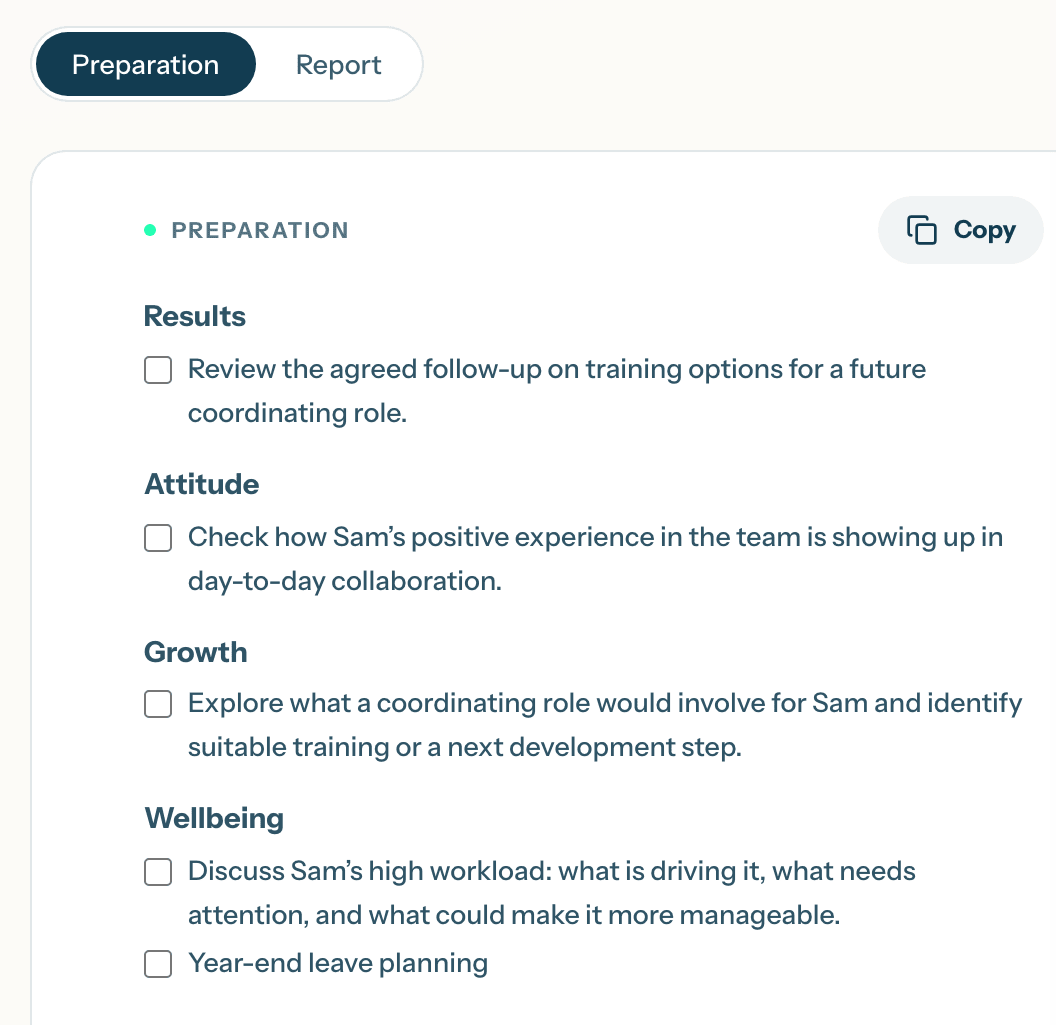
This step is usually only needed for your first conversation with someone. After that, Wundo already has the context, for example from the report of your previous conversation, and prepares the agenda itself.